Category Archives: Flowers

Questions about the Harold Davis Kickstarter project

Since I wrote my story about our handmade botanical art book project on Kickstarter, I’ve had a number of questions. If you are one of the people who wrote me, I appreciate your interest. Great questions!

Also, a very big thanks to those who have supported the project already—we are already more than one third of the way towards our funding goal for the project.

I’ve done my best to answer the questions I’ve been asked below! Please check out Botanique—a handmade book of art prints by Harold Davis on Kickstarter. Feel free to contact me with comments, questions, and concerns.

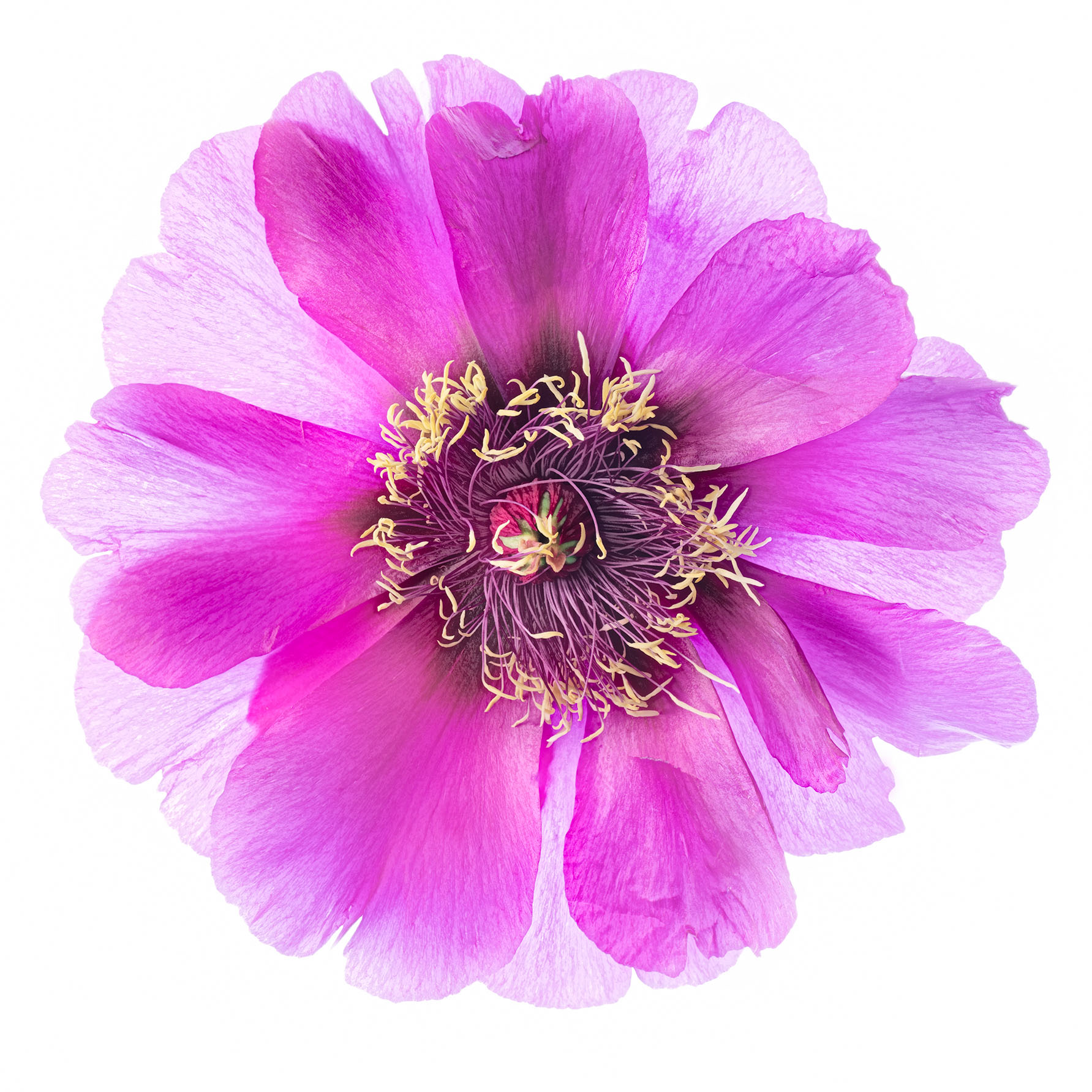
Peonies mon amour by Harold Davis

Peonies mon amour

Q: How do I sign up?

Go to the Harold Davis botanical art book Kickstarter project by clicking this link. Click the green Back this Project button on the right. You can pledge any amount starting at $1.00.

Q: What do I get out of it?

I hope that the idea of supporting my botanical art and handmade printmaking appeals to you.

I am also offering some tangible tokens of my appreciation for your support. These start at as little as $5.00.

For example, a $100 pledge gets you a phone session with me that you could use for Photoshop tutoring (or other subject of your choice). There are a limited number of $500 pledges that get you a numbered copy of Botanique (see the question below for more information about the availability and pricing of Botanique).

You’ll see a complete list of the rewards I am offering on the right side of my Kickstarter project page.

Q: What if I’d like an incentive I don’t see on your Kickstarter project page ?

Please contact me and we’ll see what we can arrange.

Q: How will the book be priced after the Kickstarter project?

We haven’t fully worked out the pricing of Botanique following the conclusion of the Kickstarter project—but you can be assured that we will never sell it for less than the pledge prices you’ll see on Kickstarter. As is customary in the art world, we intend to price earlier numbered copies lower than the later copies in the edition. Since the edition is strictly limited (to 25 numbered copies plus 5 artist copies) it is likely that the value will go up over time.

At this point, two copies have already been committed in exchange for a $500 pledge. Via Kickstarter, there are 8 more copies available at the $500 level, 5 copies at the $1,200 level, and 5 copies at the $1,750 level.

Q: When is the Kickstarter project over? 

The Harold Davis botanical art book Kickstarter project is over on Monday August 27, 2012 at 2:55PM EDT. If the funding goal ($3,000) has not been reached at that point, no money changes hands. If the funding goal has been met, then your credit card will be charged the amount you have pledged.

Q: When is my credit card charged?

Your credit card will be charged on August 27, provided that the funding goal has been met. Credit card payments are processed by Amazon.

Q: Does Kickstarter take a portion of the money I’ve pledged?

Kickstarter takes a 5% fee and Amazon Payments takes another 5% fee of all pledges that are paid for a project that has successfully funded.

Q: If I’ve sponsored you and am expecting a reward, how do I get my reward? Don’t you need my address?

Provided the project is funded, address information for each sponsor is provided to us, and we will ship your reward to you (with my heartfelt thanks!).

Q: What happens if your project raises more than the funding goal of $3,000?

It’s all good because there’s no limit to the amount a Kickstarter project can raise. Some Kickstarter projects do raise more than their initial goal, and I’m hoping that my project will be one of these success stories (we’re only a few days into the project and off to a good start already!).

Q: What about shipping rewards overseas?

The pledge amounts for the tangible awards are based on shipping within the continental United States. If you would like a reward shipped outside the continental United States please contact us for the additional shipping amount, and then add the additional shipping charge when you make your pledge.

Q: Where can I learn more about how Kickstarter works?

You can “dip your toe” into the Kickstarter universe by pledging a small amount to my project (or to someone else’s project). Here’s a short summary of how Kickstarter works, and a link to the Kickstarter FAQ.


Also posted in Photography | Leave a comment

Kickstart an art book of botanical prints by Harold Davis

Phyllis and I have created many conventionally published photography books. Recently, we’ve become interested in the possibility of using new technology to create a hand made, limited edition art book, reminiscent of the botanical art of earlier centuries. You’ll find some of the details of our Botanique project below. We’ve turned to Kickstarter to, well, kickstart our project and help make it a reality—and if you are interested in our idea we’d greatly appreciate your support!

Easter Lilies, Dahlias, and a Gaillardia by Harold Davis

Easter Lilies, Dahlias, and a Gaillardia © Harold Davis

Project details: Botanique is an homage to the botannical art of the nineteenth century, and combines old and new craft and technology in the format of a handmade book presented on exotic surfaces. This project is conceived, designed, and fabricated by master photographer Harold Davis and well-known book designer Phyllis Davis.

The 9″ X 12″ book features 12+ plates on surfaces such as vellum, Washi rice paper, and pearlized metallic substrate. One extradinary feature is the double-wide pull-out of one of Harold Davis’s well known floral panoramas on Unryu “Dragon’s Breath” Washi Rice paper.

Botanique is presented in a presentation case suitable for display and includes a hand-signed and numbered colophon with information about the materials and processes used, as well as the edition information. The book is limited to 25 numbered copies (plus five artist’s copies).

Harold Davis states: “My wife Phyllis and I have collaborated on many successful bestselling photography books published conventionally. However, we both love using the latest technology along with the tradition of one-of-a-kind crafting, and have been experimenting with handmade art books. Botanique is a labor of love.”

Click here to view the Botanique project on Kickstarter.

About Kickstarter: If you are curious about Kickstarter, it is a “crowd-sourcing” platform for funding creative projects.  Kickstarter is powered by an all-or-nothing funding method where projects must be fully-funded or no money changes hands.

Some Harold Davis botanical images that will be in the art book: Check out Peonies mon amour, Red Poppies and White Irises.

1 Comment

Purple Dahlias

I love to photograph dahlias—and, as I wrote in Photographing Flowers, it is “not for their good taste. Rather, I see these flowers as extravagant: wonderfully different from each other, and wild in their colors, shapes and exotic forms.”

Purple Dahlias by Harold Davis

Purple Dahlias © Harold Davis—Click to view larger

This time of year there are a great many dahlias to choose from, and it is great fun arranging and assembling them. I shot this image of purple dahlias intending it to look a bit like a botanical illustration as well as a photo—and thus to accompany Peonies mon amour, Red Poppies, Easter Lilies, Dahlias, and Gaillardia, and White Irises (among others!).

Also posted in Photography | Leave a comment

Peonies and Matilija Poppies

Peonies and Matilija Poppies by Harold Davis

© Harold Davis

The Vertical Panoramic Format

I’ve been creating a number of horizontal floral panoramics, for example my Star Magnolia Panorama and Floral Tapestries, but this image, Peonies and Matilija Poppies, is my first high resolution vertical floral pieced together from more than one frame.

The horizontal format is much more typical than a vertical format when it comes to panoramas. Maybe this is because panning from left to right comes naturally, and up to down less so. Also maybe there aren’t that many spaces that lend themselves to a really tall vertical print.

Creating the Image

I shot the image in two frames straight down on a lightbox. The lighting comes from behind via the lightbox, and from in front using controlled natural lights and reflectors.

Each frame consists of ten exposures, with each exposure shot using a 40mm macro lens at f/14 and ISO 100. Shutter speeds ranged from 1/30 of a second for the darkest image to 5 seconds for the brightest image.

I combined the twenty exposures that went into this vertical panorama by first layering together each frame. I started with the brightest (5 second) exposure, and used layers, layer masks, and the Brush Tool in Photoshop to paint details in—with some assistance from  a layer constructed using Nik’s HDR Efex Photoshop plugin.

Once the top and the bottom of Peonies and Matilija Poppies had been combined I stitched the two panels together to construct the final image. I then placed the image in Photoshop on a scanned paper background, with some added texture on top of the final image.

Making a Print on Unryu

I shot this image at the same time as Peonies mon amour, and am only now getting around to processing it. Like Peonies mon amour, I think Peonies and Matilija Poppies will make a great print on Moenkopi Unryu Washi rice paper.

Please let me know what you think of this image. Click on the image or here to view it larger (opens in a second window).

Also posted in Photography | Leave a comment

Red Poppies

Shooting the other day at Blake Garden I notice a glorious stand of red poppies. I asked for permission to cut a bunch and bring them home to my studio, which was very graciously granted.

Red Poppies by Harold Davis

Red Poppies © Harold Davis—click image to view larger

Using my lightbox, I shot this arrangement with my camera on a tripod using eight exposures. Each exposure was at f/13 and ISO 200. Shutter speeds ranged from 1/100 of a second to 2 seconds. The flowers were lit from the front by controlled natural light.

The idea of this kind of High Dynamic Range (HDR) processing is to throw away the dark side. By processing only high-key exposure for HDR I am able to create an image with an illusion of transparency.

To finish the image, I used Photoshop to place it on a background of scanned paper. I added a texture to the top of image using Saturation Blending mode to help partially give the image the feeling of a botanical illustration—albeit a botanical illustration created with the new tools of digital art and a modern sensibility.

My print of this image on Washi rice paper will be on exhibit at a forthcoming exhibit of botanical photographic art that benefits the San Francisco Botanical Society.

Here are links to my images of peonies and irises that will also be represented in the show with Washi rice paper prints.

Also posted in HDR, Photography, Photoshop Techniques | 1 Comment

Pretty Peonies on Unryu

This is an arrangement of Peonies, Hydrangeas, and Campanulas—mainly Peonies—arranged on my lightbox and shot straight down in pieces. Each piece was shot using high-key HDR, with ten bracketed exposures.

Peonies, Hydrangeas, and Campanulas by Harold Davis

Peonies, Hydrangeas, and Campanulas © Harold Davis

I used Photoshop to stitch the pieces of this panorama together. Between all the HDR exposures to hand blend and the panoramic stitching, putting all the elements together took quite a bit of planning and work—at least one entire episode of Prairie Home Companion, and maybe two. Thanks, Garrison!

To finish the image, I added a background of scanned paper, and a warming texture.

Like Peonies mon amour, this image makes a great print on Moenkopi Unryu washi! I hate it when Peony season is over.

Also posted in Photography | Leave a comment

Inspiration is a demanding mistress

I never know when that moment of revelation is going to strike. It is kind of like an “aha” feeling—but a little bit different, both more and less. I’m plodding along, minding my own business, tending to the mundane affairs of life when all of a sudden a voice inside my head speaks to me and says, “There might be a picture here!”

I’ve learned to listen to that inner voice when I do hear it, and to cultivate it. I miss my inner voice when it is absent! But inspiration can be a demanding mistress.

White Irises by Harold Davis

White Irises © Harold Davis

Life in a household with four young kids and two working parents is full of good reasons for denying my inner voice. I’ve work to do, images to license, books to write, bills to pay, kids to pick up! Life must go on!

But it is only by giving our inner voices some time and space to work their magic that we become the people—and artists—that we were meant to be.

Walking the boys to the school bus stop I passed a clump of white irises growing wild in the strip between the sidewalk and the street. The irises called out to me, try as I might I could not ignore them. After waving kisses to the boys when they got on the bus I walked home, got my pruning shears, and found my way back to the irises.

I laid the flowers out on my lightbox, fanning out the foliage, and shot straight down. The result you see is seven exposures at shutter speeds from 1/60 of a second to 1 second, all shot with a macro lens at f/10 and ISO 100. I combined the seven exposures using hand-HDR in Photoshop and Nik Software’s HDR Efex Pro.

A background made in Photoshop from scanned paper was then added to complete the composition, giving the image a touch of an old-fashioned botanical look: old and new combined in an unusual way.

Also posted in Iris, Photography | 1 Comment

Peonies mon amour

At this time of year some flowers are too special not to photograph. In that spirit, I’ve been having a great time the last few days photographing peonies. These flowers are unabashedly sensuous and over-the-top. Associated with healing in classical Greece, in Japan peonies became common on tattoos, along with koi fish, lions, and dragons—partially thanks to the illustrations of ukiyo-e artist Utagawa Kuniyoshi (1797-1862). In this context, peonies became associated as a symbol with hyper-masculinity and a disregard for consequences—which seems to me to be all wrong!

Peonies mon amour by Harold Davis

Peonies mon amour © Harold Davis

To create this image, I shot the peonies on a lightbox and combined five exposures using hand-layering (hand-HDR) in Photoshop.

My idea was to present the images as something like an old-fashioned botanical illustration, but created photographically. To enhance this look, I added a scanned background and a texture to the version of the flowers on white.

To print the Peonies mon amour image, I used Moenkopi Washi Unryu, which adds an exciting textural effect to the image and makes for a very interesting graphic.

Peonies on Moenkopi Unryu by Harold Davis

Peonies on Unryu © Harold Davis


Odds and ends: You may have tried to reach this blog over the past few weeks and not been able to! Sorry about that. The problem was that I’ve been getting a great deal of traffic—which is mostly good news for me, but not when my webhost shuts me down without notice because I have too many readers. So I’ve migrated to WPEngine, a site that manages WordPress blogs in a scalable way, and promises never to shut me down because I am popular!

Also posted in Photography | 6 Comments

Ghost Flowers

I noticed some white “Iceberg” roses growing in a corner of my garden. Their lovely white-on-white shapes truly appealed to me, but I knew all the whiteness would cause difficulties in terms of tonal separation when I photographed the roses on white.

Ghost Flowers by Harold Davis

Ghost Flowers © Harold Davis

Every floral composition needs some structure, and to create a structure for my white roses I laid a stem of Schizanthus grahamii on the background next to my lightbox. Schizanthus is sometimes called a “Butterfly flower” not so much because it attracts butterflies but because it is shaped like a colorful butterfly.

Here’s a story I wrote about arranging floral compositions for photography that explains what I mean about creating a structure.

Laying the white roses on top of the Schizanthus, with my camera on my tripod, I shot six exposures as is my wont—with shutter speeds ranging from one second to 1/100 of a second. Each exposure was at f/10 and ISO 100.

I combined the exposures starting with the lightest one-second exposure using hand-layering in Photoshop. I also used Nik HDR Efex Pro to create a blend that added some definition to the layered image, and could be added using Luminosity blending mode. The initial results are shown below.

Schizanthus by Harold Davis

Schizanthus and White Roses © Harold Davis

I liked the delicacy of the white-on-white roses on the white background, but I decided to see what they would look like on black. To accomplish this, I converted the image to LAB color and applied an inversion adjustment to the L channel of the image. This swapped black for the white of the background, but as a result the roses were a little too dark.

So a painted the flowers in the original of the white-on-white version back over the inverted version at low opacity. The result is a slightly spooky version of ghostly flowers, probably best viewed large.

Odds and ends: If you are interested in an exciting photography workshop in the northeast, check out powerhouse photographer  Hank Gans and his Golden Light photography intensive at Gibson House, a sweet New Hampshire bed & breakfast in mid August.

Also posted in Photoshop Techniques | 1 Comment

Tulip

The tulips were strongly backlit by the sun. The flowers were also swaying to and fro in a swift breeze. With my 200mm telephoto macro lens mounted on a tripod I shot this flower at a fast enough shutter speed (1/640 of a second) to stop the motion. My thought was to use the very distinctive natural lighting to create a flower composition that had echoes of a Georgia O’Keeffe painting.

Tulip by Harold Davis

Tulip © Harold Davis

Odds and ends:

  • Interview with Harold Davis, Maestro of Flowers and Waterdrops is a new podcast on Pixiq. I actually enjoyed listening to myself and my refrain that “there are no rules”—maybe you will, too!
  • We have room for only two more photographers one more photographer on our April, 2013 Photograph Paris with Harold Davis workshop. Besides shooting Paris at night, we will shoot Monet’s Gardens at Giverny, and work to emulate the monochromatic visions of Paris expressed by Brassai and Atget. Click here for workshop overview, complete trip itinerary, and online registration.
  • There are a few places left in my weekend Macros, Close-Ups, and Flowers workshop coming up from Friday, June 1 through Sunday June 3, 2012, and hosted in the romantic Coastguard Boathouse on the western tip of Point Reyes, California. This workshop is given under the auspices of the Point Reyes Field Institute, and it is an absolutely unique opportunity in many ways. I should also point out that the workshop is extremely reasonably priced for the weekend (meals are potluck). Here’s the link for online registration.
Also posted in Photography | 1 Comment

Clematis

Like my Star Magnolia Panorama, I shot these Clematis flowers using a lightbox as the background. The image was shot in three pieces, each piece an HDR blend of six exposures. Exposure times ranged from 1/100 of a second to 2 seconds (each exposure was at f/11 and ISO 100 with a 40mm macro lens). I took care to keep the exposures consistent across the different pieces of the image by using the same progression of shutter speeds.

Clematis by Harold Davis

Clematis © Harold Davis

In post-production, I first combined each set of images using hand-layering in Photoshop, and also Nik Software’s HDR Efex Pro. Next, I stitched the pieces together in Photoshop to create my Clematis panorama. Provided one shoots carefully, the stitching part of this process is not that big a deal.

What is a big deal is arranging the image in the first place. You can’t just expect to plunk some Clematis flowers on a vine on the lightbox (or a Magnolia branch for that matter) and have the composition work. Creating one of these images is a matter of radical deconstruction, followed by reconstruction to create the Platonic ideal of the flower—an image of the flower as it should have been, rather than as it was.

Also posted in HDR | 2 Comments

Star Magnolia Panorama

To create this image of a Star Magnolia, I brought some branches into my studio and arranged them on my lightbox. I shot the images in three panels using HDR and Photoshop layer blending. Each set of bracketed exposures was biased towards the right on the exposure histogram, so I created a translucent effect in the petals.

Star Magnolia Panorama by Harold Davis

Star Magnolia Panorama © Harold Davis

The horizontal panorama effect was created by stitching together the three panels in Photoshop. Since I had been careful about alignment when I shot the images, this didn’t involve too much work—but the results are a high resolution file, capable of quality printing in very large sizes.

Speaking of printing, yesterday we made a test print of this image on Moab Paper Moenkopi Washi Unryu 55. This Japanese rice paper was created for use in high-end inkjet printers. The paper is embedded with very visible long Mulberry fibers, sometimes called “Dragon’s Breath.” The combination of this unusual printing substrate with my Star Magnolia Panorama is quite striking.


Also posted in HDR, Photography | 2 Comments

Sunflowers on Black

It’s hard not to love sunflowers. Sunflowers are a sunny flower. It’s in the name, and also in the big, yellow, platter-sized flowers. They are artistic and often painted by van Gogh.

All this made me think it would be neat to present somewhat ghostly sunflowers on black. Whether or not you like this approach may depend—metaphorically speaking, of course—on whether you are fonder of the “girl next door” or like a little bit of Goth in your diet. In any case, this is a different way to view the sunny sunflower.

Sunflowers on Black by Harold Davis

Sunflowers on Black © Harold Davis

To make this image I shot three frames on a lightbox. Each frame was an HDR (High Dynamic Range) composite of six exposures. After processing the HDR frames I used them to create a panorama in Photoshop by hand stitching (the alignment was pretty good to start with).

As a final step, I inverted the white background to position the sunflowers on black, and added some overlay textures to brighten up the petals.

Click on Sunflowers on Black to see it larger!

Workshop notes: Registration is now open for Macros, Close-Ups and Flower Photography (Point Reyes Field Institute, June 1-3, 2012; information and registration) and for Dark of the Moon Night Photography in the ancient Bristlecone Pines (August 17-20, 2012; information and registration). These workshops are both under the auspices of the Point Reyes Field Institute, and are less expensive than would be possible otherwise.

We have space for only three more photographers in the Tao of Photography workshop at the Green Gulch Farm & Zen Center (August 3-6, 2012; registration and information).

We are taking expressions of interest for our April 28 – May 5, 2013 Paris workshop, and have room for only a few more photographers. Later this month my co-leader and our Director of Social Awesomeness Mark Brokering will be scouting locations in Paris and preparing our way!

As a “thank you” to anyone who expresses interest in this workshop before formal registration is available we will let them sign-up at the current listed price—we’ve upgraded the hotel and added a night to this trip, so open enrollment will be a little more expensive.

Also posted in Workshops | Leave a comment

Duet of Daffodils

Traditionally, when daffodils bloom it is a harbinger of spring. In a famous poem, William Wordsworth described a group of daffodils encountered on a walk with his sister in England’s Lake District this way:

I wandered lonely as a cloud
That floats on high o’er vales and hills,
When all at once I saw a crowd,
A host of golden daffodils;
Beside the lake, beneath the trees,
Fluttering and dancing in the breeze.


I vividly recall being forced to memorize the four stanzas of this poem in elementary school. It was an easy poem to mock and an easy target for school boys to satirize. My feelings for daffodils were not as strong then as today!

 
Duet of Daffodils 2 by Harold Davis

Duet of Daffodils 2 © Harold Davis

Perhaps we would have been kinder to Dorothy Wordsworth’s somewhat more down-to-earth description of the flowers; this journal entry was apparently the basis for her brother’s poem:

I never saw daffodils so beautiful they grew among the mossy stones about and about them, some  rested their heads upon these stones as on a pillow for weariness and the rest tossed and reeled and danced and seemed as if they verily laughed with the wind that blew upon them over the lake, they looked so gay ever dancing ever changing.

In any case, there’s no doubt the daffodil is a wonderful flower: early, ephemeral, glowing, and always dancing in the wind. This year I scoured the neighborhood, pruning shears in hand, and found an untended crowd of daffodils.

Once in my studio, these flowers were very cooperative—and filled the room with the wonderful odor of spring!

Duet of Daffodils by Harold Davis

Duet of Daffodils © Harold Davis


Leave a comment

Flowering Quince on My “Bucket List”

Most photographers have bucket lists of things they’d like to photograph before they die. Flowering quince—because of the lushness of the blossoms contrasted with the sparseness of the stems–has long been on my bucket list of things I want to photograph before I “slip this mortal coil.”

I know that as “Bucket List” items go flowering quince isn’t all that dramatic—I have some dramatic bucket list items as well—but modest pleasures are important too.

What’s on your “bucket list”? Feel free to add a comment telling me what you’d like most to photograph!

Flowering Quince by Harold Davis

Flowering Quince 1 © Harold Davis

You don’t see much flowering quince growing wild around here, and I’ve been loth to buy an expensive specimen from a florist. So I was pleased to find some intertwined with a chain link fence near Rosa Parks, the elementary school that Nicky and Mathew go to.

Someone must have planted the Quince a long time ago, but I don’t think anyone was really tending the Quince shrub. Nevertheless, in the interests of poetry and drama I treated snipping some stems as a matter of nighttime drive-by pruning, with the engine running and the minivan’s tailgate open.

From there, it was a matter of arrangement and backlit studio photography on my lightbox.

Flowering Quince by Harold Davis

Flowering Quince 2 © Harold Davis

Checkout my work in the February 2012 New Releases (PDF) and January 2012 New Releases (PDF) fliers, both from World Art Group.


Also posted in Photography | 2 Comments