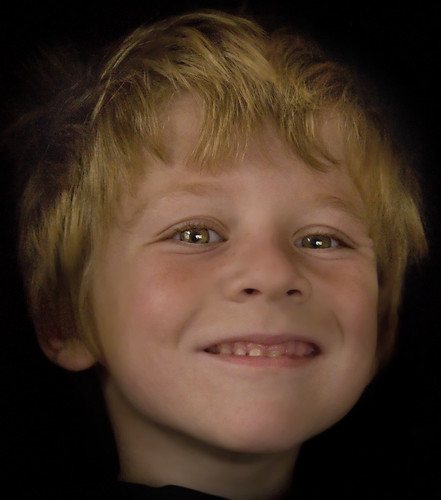
Nicky on Black, photo by Harold Davis.
Nicky and I were fooling around taking his picture. I gave him the flower-on-black treatment: I covered a high-backed chair with black cloth, and put him on the chair. Then I radically underexposed to enhance the depth of black in the background. I was careful to focus precisely on Nicky’s right eye.
In post-processing, I pulled Nicky out of the darkness layer by layer. Next, I selectively softened the image using the Smoothness setting on the Filter palette of the Noise Ninja Photoshop plug-in: both to compensate for the noise in this high-ISO image and to create a pleasing softness in the face and hair.
Finally, I shifted the image to LAB color mode, and carefully used the luminance channel and layer masking to modestly sharpen Nicky’s eyes, and only Nicky’s eyes.
[Nikon D300, 18-200mm VR zoom lens at 95mm (142.5mm in 35mm terms), 1/250 of a second at f/5.6 and ISO 2,500, hand held with vibration reduction turned on.]
Pingback: Nick Is Nine | Photoblog 2.0